

How a rapid IT response reduces law firm downtime comes down to one practical outcome: your team spends less time waiting and more time returning to secure, productive legal work. When email, document management, practice management, phones, remote access, or Microsoft 365 fails, every delayed decision can affect client communication, filings, closings, and billable work.
A fast answer alone is not enough. The response must quickly identify what failed, determine who is affected, protect confidential information, provide a safe workaround, and restore the right systems in the right order. That is where a disciplined IT support model can reduce both the length and impact of an outage.
Table of Contents
• Why Minutes Matter During Legal Technology Outages
• Set Recovery Priorities Around Legal Work
• Use A Rapid Incident Workflow That Restores Work Faster
• Build Resilience Before The Next Outage
Why Minutes Matter During Legal Technology Outages
Rapid Response Stops Small Problems From Becoming Firm Wide Problems
Downtime is not limited to a server outage. A locked Microsoft 365 account, failed multi factor authentication prompt, unreachable document management system, expired certificate, unstable internet connection, or compromised mailbox can stop legal work just as effectively.
The first minutes of an incident shape the rest of the recovery. If IT support can confirm the scope quickly, the team can avoid wasting time on the wrong fix. For example, an associate who cannot access a shared matter folder may have a local device issue. If twenty staff members cannot access the same folder, the issue may involve identity services, permissions, a cloud platform, or network connectivity. Those are very different incidents, and treating them the same delays restoration.
A rapid response should establish four facts early:
• What system or service is unavailable
• Who is affected and whether the issue is localized or firm wide
• Whether confidential client data may be exposed, altered, or inaccessible
• What safe workaround allows urgent legal work to continue
This is why acknowledgment time matters. It begins the investigation and gives staff a clear point of contact. It is not the same as resolution time. A provider can answer a ticket in five minutes but still take hours to restore a failed application, recover data, or coordinate with a software vendor.
Fast acknowledgment creates direction. Fast triage determines whether the outage becomes a brief interruption or a prolonged operational problem.
For legal environments, the difference is meaningful. When lawyers know that email is available but the document management system is not, they can adjust their work. When they do not know whether an outage is local, cloud based, security related, or firm wide, people begin repeating troubleshooting steps, calling vendors independently, and sending sensitive documents through unapproved channels.
Response Time Is Only One Part Of Downtime Reduction
A useful service level agreement separates three measurements:
| Measure | What It Means | Why It Matters To A Law Firm |
|---|---|---|
| Response time | Time until IT acknowledges the incident | Confirms ownership and starts triage |
| Escalation time | Time until the issue moves to higher level support or a specialist | Prevents complex incidents from sitting in a queue |
| Resolution or restoration time | Time until the system is usable again | Measures the actual impact on legal work |
| Communication cadence | How often staff receive status updates | Helps lawyers use workarounds and plan around delays |
Some legal IT providers describe urgent-incident response expectations in the 15 to 30 minute range. ELMIDA Solutions outlines law firm IT response expectations for urgent incidents and outages, including 15 minute acknowledgment targets for priority one events and regular updates during firm wide disruption. These targets are useful decision criteria, not a guarantee that every outage can be resolved within that time.
A ransomware event may require immediate containment but still take days to fully recover. A cloud service provider outage may be outside your IT provider’s direct control. In both cases, rapid response remains valuable because it reduces uncertainty, preserves evidence, limits unsafe workarounds, and starts recovery tasks without delay.
The Cost Is More Than Lost Billable Time
Decision makers should measure downtime in more than hours of technical unavailability. Consider the operational effects:
• Lawyers cannot access matter documents, precedents, evidence, or closing packages
• Legal assistants may be unable to prepare filings, send correspondence, or update task lists
• Clients may receive delayed responses at a sensitive point in a transaction or dispute
• Staff may shift to personal email, local file copies, or unapproved messaging tools
• IT may lose time reconciling duplicate work after systems return
For a real estate law practice, a document access outage on closing day has a different business impact than a printer issue affecting one workstation. Both should be fixed, but they should not receive the same priority. That distinction is the foundation of effective incident management.
Set Recovery Priorities Around Legal Work
Rank Systems By Business Impact, Not Technical Convenience
The systems that are easiest to repair are not always the systems that should be restored first. Your recovery order should reflect deadlines, client service, data sensitivity, and the availability of workarounds.
| Priority | Typical Legal Systems | Example Impact | Practical Response Target |
|---|---|---|---|
| Priority One | Identity access, email, document management, practice management, core internet, ransomware containment | Most or all staff cannot work, or client data may be at risk | Acknowledge within 15 minutes; begin active triage immediately |
| Priority Two | VoIP phones, remote access, shared printing, individual application failures | A department or group has limited ability to work | Acknowledge promptly; provide a workaround where possible |
| Priority Three | Single device issue, noncritical software, minor configuration request | One person is affected and a workaround exists | Schedule based on business impact and urgency |
This table should be adjusted to your firm. A litigation firm preparing for a hearing may put remote access and document management at the highest priority. A real estate firm may prioritize email, practice management, secure document exchange, banking related tools, and communications on transaction days.
The goal is not to make every issue an emergency. If everything is labeled urgent, nothing is truly prioritized. Instead, define what “cannot work” means for each department and matter type.
Use RTO And RPO To Make Recovery Decisions Before An Emergency
Two terms help law firm leaders turn broad continuity goals into measurable expectations:
Recovery time objective, or RTO, is the maximum acceptable time before a system must be restored. If your practice management platform has a four hour RTO, your recovery plan should be designed to return it to working condition within that period.
Recovery point objective, or RPO, is the maximum acceptable amount of data loss measured in time. An RPO of one hour means your backup and recovery approach should limit lost data to no more than approximately one hour before the incident.
These are business decisions, not just IT settings. A system with a short RTO but a long RPO may return quickly with missing recent work. A system with a very short RPO may need more frequent backups, replication, or cloud based protection, which can cost more.
Uptime Legal’s guidance on law firm disaster recovery and business continuity planning explains the need to contain damage, restore access, and document events during the minutes and hours after an incident. That sequence matters because firms cannot set practical recovery targets without first understanding which systems and data must return first.
Choose Remote Remediation When It Saves Time Without Increasing Risk
Remote remediation is often the fastest option for account lockouts, Microsoft 365 configuration problems, device performance issues, permission errors, email failures, and many connectivity issues. It removes travel time and allows an IT technician to view logs, settings, and system health immediately.
Onsite support may be necessary when the issue involves:
• Network hardware, power, cabling, or physical server equipment
• A failed firewall, switch, storage device, or internet handoff
• A suspected physical security problem
• Hardware replacement that cannot be completed remotely
• An incident where remote access is unavailable or unsafe
The better question is not, “Do we need onsite support?” It is, “What action restores safe legal work fastest?” In some cases, remote triage identifies the failed component and allows the technician to arrive with the needed replacement part. That is much faster than sending someone onsite without a confirmed diagnosis.
For recurring user issues and priority based triage, IT support help desk services can provide a structured route for reporting, categorizing, escalating, and documenting incidents before productivity losses spread.
Use A Rapid Incident Workflow That Restores Work Faster
The First Ten Minutes Should Be Controlled, Not Chaotic
Staff do not need to become technical investigators during an outage. They need a simple reporting process that produces useful information without increasing risk.
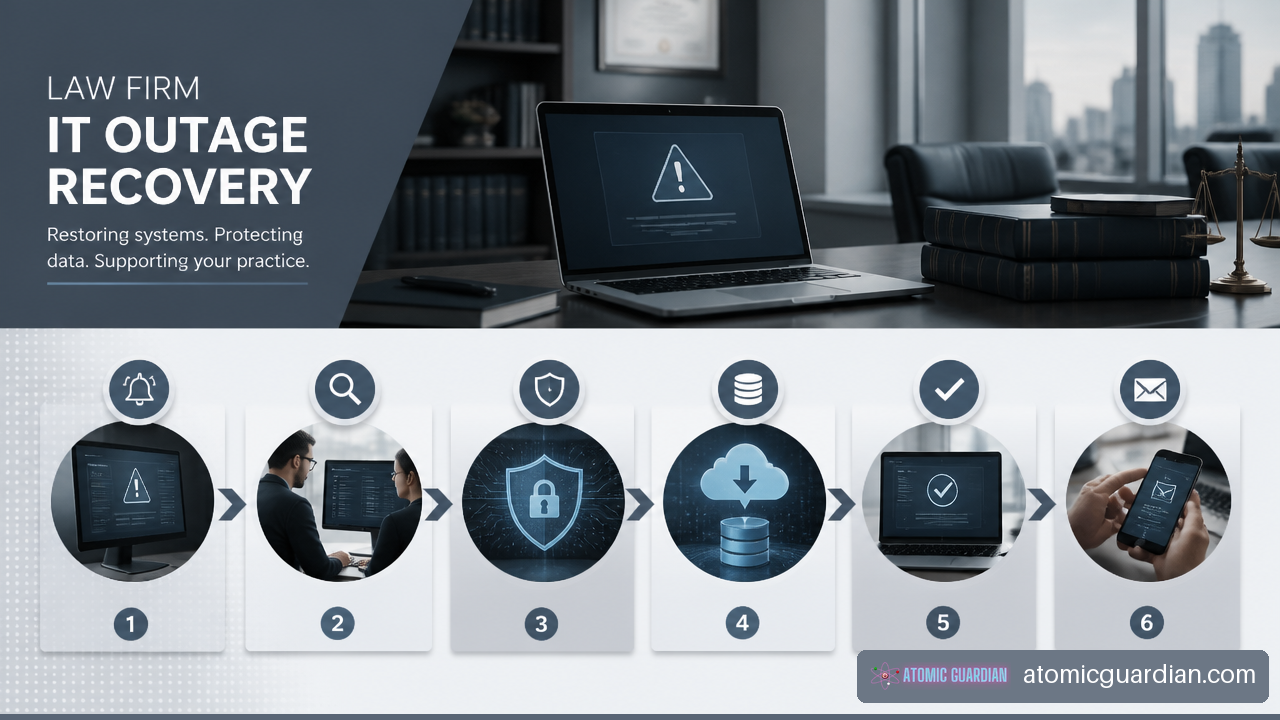
A practical first ten minute workflow looks like this:
- Confirm the visible problem: record the error message, affected application, device, time, and user.
- Check whether others are affected: ask a small group or use an approved status channel rather than sending broad messages from personal accounts.
- Report the issue through the defined IT channel: include the matter urgency if a filing, hearing, closing, or client deadline is involved.
- Avoid risky workarounds: do not disable security controls, share passwords, forward client documents to personal email, or repeatedly restart systems if a cyber incident is suspected.
- Wait for coordinated instructions: IT should advise whether staff should continue working, switch to a workaround, disconnect a device, or preserve evidence.
This sequence prevents a common failure mode: multiple people attempting separate fixes that change the evidence or worsen the disruption. For example, if a malicious email rule is moving client messages, repeated mailbox changes can make the investigation harder and can leave the attacker’s access in place.
Preserve Privilege And Confidentiality During Triage
Law firms have an additional constraint during incident response: troubleshooting often involves sensitive data. A rapid IT response must be fast without giving unnecessary access to matter files, mailbox content, or client records.
Privilege preserving handling should include controlled access, documented approvals, secure communication channels, and logs showing who accessed what during the incident. Vendor access should be limited to the systems required for the task. Screenshots, exported logs, and copied files should be handled as potentially confidential records.
Scope must come before broad external notification. If a document platform becomes unavailable, the first question is whether it is an access problem or whether data may have been exposed. A firm should avoid declaring a breach before facts support that conclusion, but it should also avoid delaying containment while waiting for perfect information.
Morgan Lewis addresses legal and compliance strategies for major IT outages, including the role of rapid response and communication in mitigating longer term effects. For law firm leadership, that means incident handling should include legal, operational, and communications decisions, not just technical repair.
When compromise is suspected, Incident response services should support containment, evidence preservation, access recovery, and decision making around affected systems. The immediate objective is to stop further harm while preserving the ability to restore legal work safely.
Communication Is A Recovery Tool, Not An Administrative Extra
Status updates reduce downtime when they tell people what to do next. “We are investigating” is less useful than “Email is available, document management is unavailable, do not upload documents to personal cloud storage, and the next update will arrive in 30 minutes.”
For a firm wide outage, updates every 30 to 60 minutes are a reasonable operating model when the incident remains active. The update should state:
• What is affected and what remains operational
• Whether the scope has changed
• What workaround is approved
• What staff should avoid doing
• When the next update is expected
• Whether matter teams need to escalate deadline risks
Communication also helps preserve client confidence. If a transaction is delayed because a system is unavailable, the responsible lawyer can provide a measured update based on confirmed facts rather than speculation from hallway conversations.
Build Resilience Before The Next Outage
Monitoring Reduces Detection Time, But It Does Not Replace People
Twenty four hour monitoring can detect failed backups, unavailable servers, storage capacity problems, expired certificates, unusual login activity, and device health concerns before staff report them. Early detection is valuable because a problem found at 2:00 a.m. may be corrected before a 9:00 a.m. closing call.
Still, monitoring is not a complete response model. An alert must reach someone who can assess its severity, follow the escalation path, and understand the business impact. A backup failure alert may not be urgent at the moment it occurs, but it becomes urgent if the firm later needs that backup during a ransomware event.
Your provider should be able to explain which alerts trigger human review, which systems are monitored, who is contacted after hours, and how the firm is notified when a risk affects operations.
Tested Backups Turn Recovery Plans Into Recovery Capability
A backup is not the same as a recoverable backup. Files may be incomplete, encrypted, inaccessible, or too slow to restore within your RTO. Cloud backup protection may also have limits if the wrong data, permissions, or versions were retained.
Backup validation should test more than whether a job completed. It should test whether the firm can restore:
• A single document or email item
• A user account and its access permissions
• A legal application database or configuration
• A full system or virtual machine
• Data needed for a time sensitive matter
Consider a firm that backs up its document management data nightly. If the RPO is 24 hours, an afternoon outage may require recreating a full day of documents, notes, and edits. That may be acceptable for some systems but not for matter records tied to active transactions. The right answer depends on the work, the cost of data loss, and the recovery method.
Evaluate Support Providers By Their Ability To Restore Work
A rapid response commitment is useful only if the provider has the permissions, tools, escalation paths, and legal technology knowledge to act on it. Fair warning: a provider can meet an acknowledgment target while still failing to reduce downtime if it lacks access to your cloud tenant, vendor contacts, backup platform, network documentation, or administrative credentials.
Ask practical questions before signing or renewing an agreement:
• What is the critical incident acknowledgment target, including after hours?
• Who owns escalation when the issue involves Microsoft, an internet provider, a legal software vendor, or a cybersecurity event?
• What are the RTO and RPO for email, document management, practice management, identity, and remote access?
• How often are backups restored and tested, and what evidence is provided?
• What outage updates will leadership and staff receive?
• How are privileged data, logs, and vendor access controlled during an investigation?
• What post incident report will document cause, timeline, corrective actions, and prevention steps?
A Responsive IT help desk for law firms should be judged on more than speed at intake. You should expect clear ownership from first report through restoration, verification, and follow up.
Key Takeaways
• Rapid IT response reduces downtime by shortening the time to identify scope, contain risk, provide workarounds, and restore priority systems.
• Response time, resolution time, escalation time, and communication cadence should be measured separately in your SLA.
• Email, document management, practice management, identity access, and core connectivity often deserve the highest recovery priority.
• RTO and RPO targets help you decide how quickly systems must return and how much data loss is acceptable.
• Fast support fails when the provider lacks documentation, access, tested backups, legal software coordination, or a defined escalation path.
• Cybersecurity incidents require rapid containment, but also careful handling of confidential information, evidence, and privilege.
Frequently Asked Questions
Direct Answers For Law Firm Decision Makers
How Does A Rapid IT Response Actually Reduce Law Firm Downtime?
It shortens the period between discovery and effective action. Fast triage identifies whether the incident is isolated, firm wide, or security related. That allows IT to isolate affected systems, give staff approved workarounds, engage the right vendor, and begin restoration before lost time compounds.
What IT Issues Cause The Most Downtime In A Law Firm?
Common high impact issues include email and Microsoft 365 failures, document management outages, practice management problems, identity and access failures, internet outages, remote access failures, ransomware, and failed phone systems. The most disruptive issue depends on the practice area and the day’s legal deadlines.
What Response Time Should A Law Firm Expect For A Critical IT Incident?
For a priority one incident, many firms set an acknowledgment expectation of roughly 15 minutes, with active triage beginning immediately. Resolution may take much longer depending on the cause. A cloud outage, ransomware incident, or failed infrastructure component can require extended recovery even when support responds quickly.
Is A Fifteen Minute Response Time Realistic For Legal IT Support?
It can be realistic for acknowledgment and initial triage when the provider has an after hours process, monitoring tools, documented systems, and sufficient staffing. It is not a realistic promise that every technical problem will be fully resolved in 15 minutes. Ask what happens after acknowledgment, including escalation and restoration expectations.
How Should A Firm Prioritize Email, Document Management, And Practice Management Outages?
Prioritize based on the immediate effect on legal work. If lawyers cannot access matter files, document management may be priority one. If staff cannot receive time sensitive instructions from clients, email may take priority. If deadlines, task tracking, billing, and matter status depend on practice management, that system may also require a short RTO.
How Does Rapid Response Help During Ransomware Or Account Compromise?
The first goal is containment: isolate affected devices, revoke risky access, preserve logs, and prevent spread. Rapid action can limit how many systems are encrypted or accessed. The next phase is controlled recovery, which may include restoring clean data, resetting credentials, verifying security controls, and documenting the incident.
What Should Staff Do In The First Ten Minutes Of An Outage?
Record the symptoms, identify whether others are affected, report the issue through the approved channel, and avoid unsafe workarounds. If you suspect malware, phishing, or account compromise, do not keep clicking, forwarding messages, or changing settings without direction from IT.
How Do Backups And Restore Testing Affect Downtime?
They determine whether recovery is possible and how long it takes. A backup that has never been restored may fail when needed. Regular restore testing verifies that data, applications, permissions, and system configurations can return within the firm’s recovery targets.
Sources And References
Verified External Sources
• Uptime Legal — Law Firm Disaster Recovery and Business Continuity Planning: https://www.uptimelegal.com/law-firm-disaster-recovery-and-business-continuity-planning/
• Morgan Lewis — Global IT Outages: Legal and Compliance Strategies: https://www.morganlewis.com/topics/global-it-outages
• ELMIDA Solutions — Law Firm IT Response Times: Expectations: https://www.elmidasolutions.com/blog/guide-law-firm-it-response-times