

On-site and remote IT services for law firms in York Region work best as one coordinated support model, not two separate services. Remote support should resolve most account, software, Microsoft 365, and device issues quickly. On-site support should be available when a problem involves physical equipment, office networks, printers, cabling, or a high-risk disruption that cannot be handled safely from a distance.
For a law firm, the question is not simply, “Can this be fixed remotely?” It is whether the support process protects privileged information, keeps lawyers productive, and gives leadership a clear path to recovery when systems fail.
Table Of Contents
• How On-Site And Remote Support Should Work
• Security, Confidentiality, And Recovery Requirements
Key Takeaways
• Remote support is usually the first response. It is well suited to Microsoft 365 issues, account access, legal application errors, file synchronization, updates, and many laptop problems.
• On-site support remains essential. You may need a technician in the office for network outages, failed switches, printer and scanner faults, office moves, phone hardware, cabling, and replacement equipment.
• Local coverage needs clear boundaries. York Region includes communities such as Vaughan, Markham, Richmond Hill, Newmarket, Aurora, and Georgina. Ask providers how dispatch priority, travel time, after-hours coverage, and service boundaries apply to your particular office location.
• Confidentiality must shape every support process. A provider should use controlled remote access, named technician accounts, multi-factor authentication, least-privilege permissions, session logging where appropriate, and documented escalation for sensitive matters.
• Backups only matter if restoration works. Your firm should know which systems are backed up, how quickly files can be restored, whether copies are protected from ransomware, and how often recovery is tested.
• Support agreements should measure outcomes. Define response times, dispatch expectations, security responsibilities, escalation contacts, backup testing, vendor coordination, and reporting instead of relying on general promises of “fast support.”
How On-Site And Remote Support Should Work
Start With Remote Triage, Then Escalate Intelligently
A dependable support model begins with triage. A help desk should first confirm who is affected, what changed, whether the issue involves confidential information, and whether work can continue through a safe workaround. This avoids sending a technician for an issue that can be corrected in minutes while also preventing risky remote troubleshooting when physical access is required.
Remote support commonly handles:
• Password resets, account lockouts, and Microsoft 365 access problems
• Email delivery, calendar, Teams, OneDrive, and SharePoint issues
• Document management application errors and workstation configuration
• Secure remote access, VPN, and cloud file synchronization problems
• Software patching, endpoint monitoring, malware investigation, and device health checks
• New employee setup, permission changes, and former employee access removal
Remote monitoring and management tools can also identify failed backups, full storage volumes, missing security updates, or an offline device before a lawyer reports a problem. That is the practical value of proactive IT: resolving a warning before it becomes a missed closing, inaccessible document, or unavailable email account.
Still, remote access is not a blank cheque. Before a technician connects, your firm should know how access is approved, how long it lasts, and what information may be visible during the session. Screen sharing can expose client names, financial records, settlement documents, or privileged correspondence. A support process should minimize that exposure by using technician-specific accounts, limiting access to the system involved, and asking staff to close unrelated client files when possible.
The Law Society of Ontario’s technology and confidentiality guidance emphasizes that lawyers remain responsible for confidentiality when using technology and third-party vendors. In practical terms, you should treat your IT provider as part of the firm’s risk management process, not merely as a repair service.
For firms comparing support options, outsourced IT support for law firm employees in Ontario can help clarify what a managed service arrangement should cover beyond individual tickets.
Know When An On-Site Visit Is Necessary
Some problems cannot be diagnosed or corrected remotely because the fault is physical, environmental, or widespread. A technician may need to inspect hardware, trace cabling, test a network port, replace a failed component, or work directly with an office vendor.
| Issue Type | Best First Response | Why It Matters To A Law Firm |
|---|---|---|
| Microsoft 365 login failure | Remote | Identity, MFA, and account settings can usually be checked securely without travel. |
| Document management system error on one laptop | Remote | Support can review application settings, permissions, logs, and updates. |
| Entire office loses internet access | Remote triage, then on-site if needed | The provider can confirm whether the issue is with the ISP, firewall, switch, or cabling. |
| Scanner stops sending documents to matter files | On-site may be required | Scanner settings, network connectivity, paper feed issues, and device hardware may need hands-on work. |
| Failed network switch or Wi-Fi equipment | On-site | Hardware replacement and physical testing are usually required. |
| Office move or renovation | On-site planning and execution | Network, phones, secure Wi-Fi, printers, and workstations should be installed and tested before opening day. |
| Suspected ransomware | Remote containment plus on-site support when required | Systems may need isolation, evidence preservation, replacement devices, and controlled recovery. |
On-site support is also valuable during office changes. A new location can introduce weak Wi-Fi coverage, insecure guest access, untested phone routing, poor meeting-room connectivity, or a lack of secure space for network equipment. Those problems may appear small during setup but become serious when staff cannot access a matter file during a client meeting or closing.
Fair warning: local does not automatically mean immediate. There is no universal York Region dispatch benchmark that applies to every provider or community. A downtown Vaughan office and a more distant York Region location may have different dispatch conditions. Ask for written answers to these questions:
- What is the remote response target for urgent, high, and routine issues?
- What events qualify for same-day or priority on-site dispatch?
- Which York Region locations are included in standard coverage?
- Is travel billed separately, included, or limited by a service radius?
- Who coordinates internet providers, phone vendors, legal software vendors, and copier companies during an outage?
- What happens after business hours if email, document access, or core network services fail?
A firm that depends on court-day mobility should also plan for imperfect conditions. Consider a lawyer preparing at home before a hearing, then discovering that a laptop update has interrupted access to a secure document repository. Remote support may restore access quickly. If the laptop drive fails or the device will not power on, the firm needs a replacement-device process, secure file availability, and a clear point of contact. The real service standard is not only ticket closure; it is the ability to continue legal work safely.
If your office needs a support model built around rapid remote response, review fast remote IT support for Toronto legal offices alongside the provider’s on-site dispatch commitments.
Replace Break-Fix Guesswork With Defined Accountability
Break-fix support can be appropriate for a very small office with simple systems, low device dependence, and an internal person who manages vendors and security. It is less suitable when your firm relies on cloud email, document management, remote access, several lawyers, multiple locations, or client data that cannot be unavailable for long.
A managed arrangement usually makes more sense when you need continuous monitoring, regular patching, user support, strategic planning, and documented security controls. It also creates an opportunity to assign ownership. For example, if a legal application vendor says the issue is “network related,” your IT provider should be able to investigate rather than leaving staff to relay technical messages between vendors.
Your agreement should identify:
• Included remote support hours and urgent support process
• On-site visit scope, dispatch conditions, and fee structure
• Supported legal applications, Microsoft 365 services, phones, printers, and network equipment
• Asset inventory, user onboarding, offboarding, and access review responsibilities
• Backup monitoring, restore-test frequency, and recovery reporting
• Security incident escalation, breach support, and vendor coordination
• Monthly or quarterly reporting that leadership can understand
Security, Confidentiality, And Recovery Requirements
Secure Remote Work Starts With Identity And Device Control
Hybrid legal work increases the number of places where confidential data can be accessed. A lawyer may work from the office, a home network, a client meeting room, or a court location. The answer is not to trust every network equally. It is to verify identity, control the device, and limit access to what the user needs.
The Government of Canada identifies multi-factor authentication as a core online security safeguard. Your firm should require MFA for Microsoft 365, remote access, administrator accounts, document repositories, and other systems that hold confidential information.
MFA is stronger when it is paired with endpoint management. Managed laptops should use device encryption, supported operating systems, current security updates, screen locks, and the ability to remove corporate data or disable access when a device is lost. A personal laptop with an outdated operating system and local copies of client files presents a different risk than a managed device with encryption and conditional access.
A reasonable remote-work baseline includes:
• MFA for cloud services, remote access, and privileged accounts
• Encryption for laptops and mobile devices that access firm data
• Role-based access so staff see only the matters and systems needed for their work
• Centralized patching, endpoint protection, and device inventory
• Secure cloud access or encrypted remote connections rather than open file shares
• Documented procedures for lost devices, suspicious emails, and urgent access changes
• Logging and review processes that support investigation when an account is misused
The Canadian Centre for Cyber Security’s top 10 IT security actions includes practical measures such as patching, MFA, endpoint protection, and backup validation. These controls are not separate projects. They reinforce each other. MFA may block a stolen password, while endpoint management can prevent an unpatched laptop from becoming the next entry point.
Make Confidential Remote Support Deliberate
Your IT provider may need access to systems holding personal and privileged information. That access should be governed rather than informal. Ask whether technicians use individual accounts instead of shared credentials, whether elevated permissions are time-limited, and whether unattended remote access is approved and reviewed.
For a sensitive incident, such as an executive’s mailbox compromise or a suspected misdirected client file, the provider should follow a documented escalation route. The process should identify who at the firm can authorize action, preserve relevant evidence, restrict unnecessary access, and coordinate communications. This matters because a hurried fix can make later investigation harder.
Your firm should also understand its privacy obligations. If a breach involves personal information, the Office of the Privacy Commissioner of Canada framework requires organizations to assess whether there is a real risk of significant harm and to keep records of all breaches for at least 24 months. A provider can assist with technical containment and evidence gathering, but leadership and legal counsel must retain oversight of the response.
Design Backups Around Recovery, Not Storage
A backup report showing “successful” is not proof that your firm can resume work. A useful recovery plan starts by identifying the systems that matter most: document management, matter files, email, accounting data, practice-management systems, phone configuration, and critical workstation settings.
Then define two practical targets:
• Recovery point objective: How much recent work can you afford to lose? For example, a four-hour recovery point could mean restoring data from a copy made up to four hours before an incident.
• Recovery time objective: How long can the system be unavailable before the impact becomes unacceptable? A document repository needed for active real estate closings may require a shorter target than an archival system.
These targets are business decisions. A small firm may accept slower restoration for archived records but not for current closing documents. The IT provider should translate those priorities into backup schedules, storage design, recovery procedures, and testing.
The Canadian Centre for Cyber Security’s ransomware guidance recommends protected backups and recovery planning so ransomware cannot encrypt the only copy of critical data. That typically means maintaining at least one backup copy that is offline, immutable, or otherwise isolated from normal network access.
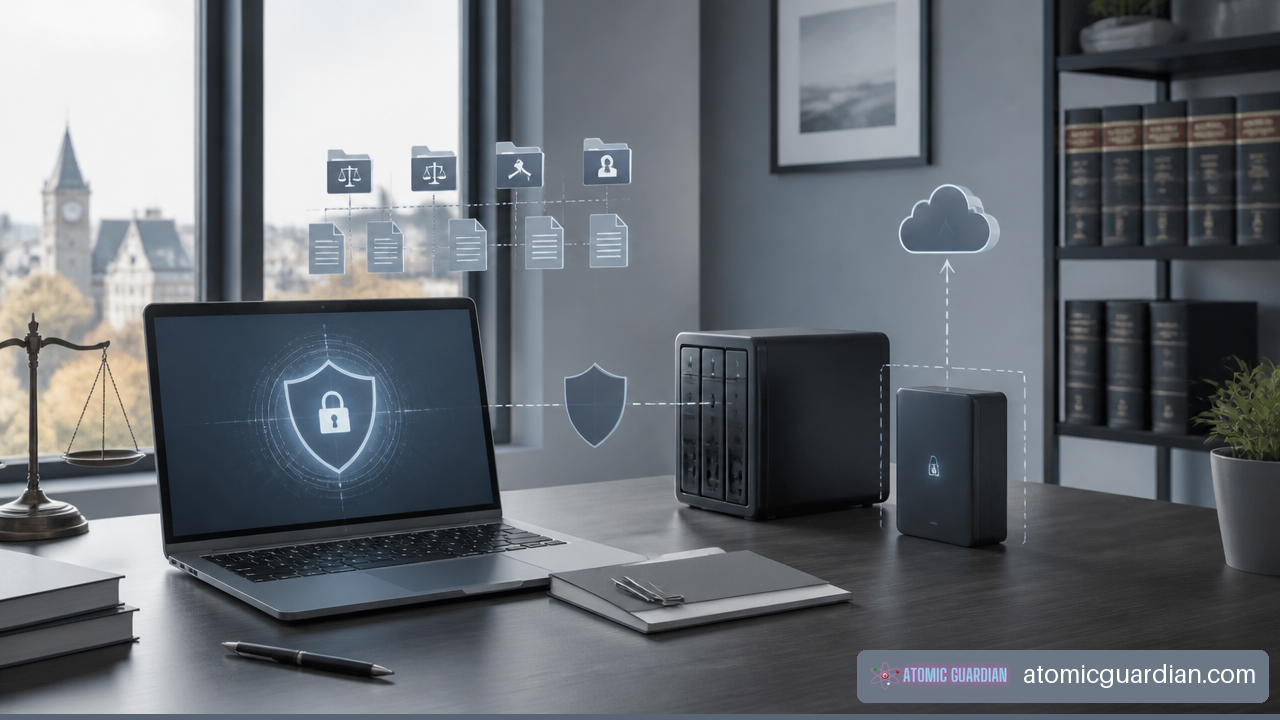
Test restores should resemble real work. Restoring a single document confirms one thing. Restoring a matter folder with permissions, checking that a lawyer can open it, and confirming that the document management system indexes it correctly provides stronger evidence. A quarterly test may be appropriate for some firms, while a more frequent test may be justified for systems with short recovery expectations.
Frequently Asked Questions
What Counts As On-Site IT Support Versus Remote IT Support?
Remote IT support involves secure assistance through monitoring tools, remote-control sessions, phone, email, or video. It is generally used for accounts, software, cloud services, updates, and many workstation problems. On-site support involves a technician physically attending your office to work on hardware, cabling, printers, network equipment, phones, office moves, or issues that cannot be safely resolved remotely.
Which Legal IT Problems Can Usually Be Fixed Remotely?
Microsoft 365 access, email setup, file synchronization, user permissions, password resets, software errors, legal application configuration, patching, and many remote-access issues can usually be addressed remotely. The key condition is that the technician can connect through an approved, secure method without exposing unnecessary client information.
When Should You Require An On-Site Visit?
Require on-site service when the issue is physical, affects office infrastructure, or remains unresolved after remote triage. Examples include a failed switch, damaged cabling, printer hardware faults, scanner failures, office-wide Wi-Fi problems, replacement workstation setup, and relocation projects. You should also consider on-site assistance for a serious security incident when device isolation or evidence handling requires physical control.
How Fast Can A York Region IT Provider Respond?
Response depends on the service agreement, severity, provider staffing, and your location. Do not assume a general GTA claim guarantees a specific dispatch time in every York Region community. Request separate written targets for remote acknowledgement, remote resolution efforts, urgent on-site dispatch, and after-hours incidents.
How Should Remote Lawyers Access Files Securely?
Use MFA, managed and encrypted devices, role-based permissions, current patches, endpoint protection, and approved cloud or encrypted remote-access tools. Avoid shared accounts and uncontrolled local copies of matter files. If a lawyer needs access while travelling, the firm should provide a defined process rather than relying on personal email, consumer storage, or unapproved devices.
What Should Happen If A Lawyer’s Laptop Is Lost Or Stolen?
The lawyer should report the device immediately. IT should disable or reset affected sessions, assess whether firm data was stored locally, locate or remotely manage the device if those capabilities are enabled, and provide a secure replacement path. The firm should document the event and determine whether privacy or client-notification obligations may apply.
Do You Need Managed IT Or Break-Fix Support?
Managed IT is usually the better fit when your firm needs ongoing cybersecurity, monitoring, backup oversight, user support, vendor coordination, and predictable accountability. Break-fix may be enough for a very small office with limited technology needs, but it can leave security updates, access reviews, backup testing, and planning unaddressed until something goes wrong.
How Do You Choose A Law Firm IT Provider In Vaughan Or York Region?
Evaluate legal-sector familiarity, security controls, remote response commitments, on-site coverage, escalation procedures, backup testing, vendor coordination, and reporting. Ask for clarity on what is included and what triggers an extra charge. For a focused evaluation framework, see how to choose a law firm IT support company in Vaughan.
Sources And References
• Law Society of Ontario — technology and confidentiality guidance: https://lso.ca/lawyers/practice-supports-and-resources/topics/technology
• Canadian Centre for Cyber Security — ransomware guidance: https://www.cyber.gc.ca/en/guidance/ransomware
• Canadian Centre for Cyber Security — top 10 IT security actions: https://www.cyber.gc.ca/en/guidance/top-10-it-security-actions
• Government of Canada — multi-factor authentication guidance: https://www.canada.ca/en/government/system/digital-government/online-security.html