
When a lawyer cannot open a closing document, a clerk loses Microsoft 365 access, or the document management system fails before a filing deadline, a responsive IT help desk for law firms in the GTA becomes a business requirement, not a convenience.
Fast answers matter, but speed alone is not enough. Your firm needs a support process that identifies the real issue, measures its effect on legal work, assigns clear ownership, escalates when needed, and keeps users informed until the matter is resolved.
Table Of Contents
- What Responsive Support Means for Law Firms
- How Legal IT Tickets Should Be Triaged and Resolved
- How to Evaluate a GTA Help Desk Provider
- Key Takeaways
- Frequently Asked Questions
- Sources
What Responsive Support Means for Law Firms
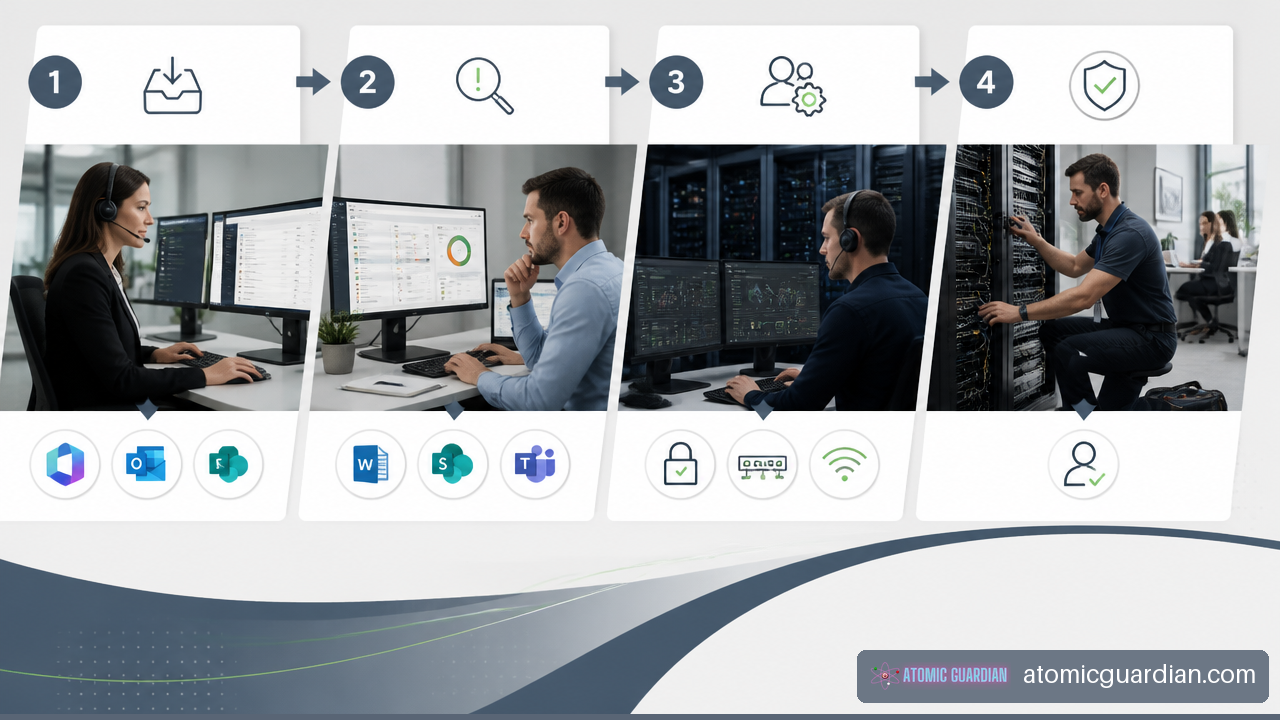
A responsive help desk is a structured service function that manages a request from intake through resolution. It should not depend on one technician noticing an email, remembering a configuration detail, or deciding informally which issue deserves attention.
For a law firm, responsiveness has five practical parts:
- Acknowledgment: The user receives confirmation that the request was received.
- Triage: The help desk determines the business impact and urgency.
- Ownership: One person or team remains accountable for moving the ticket forward.
- Escalation: Complex, security related, or office wide issues reach the appropriate technical resource.
- Communication: The user receives useful updates and a clear resolution notice.
This process matters because legal work is rarely interrupted in convenient ways. A printer issue affecting one workstation may be routine. A scanner failure preventing a real estate team from processing signed documents before a scheduled closing may not be. Both incidents involve office equipment, but their operational impact is very different.
Response Time Is Not the Same as Resolution Time
An SLA, or Service Level Agreement, should define more than a promise to answer the phone. It should explain how quickly your provider will acknowledge a ticket, begin work, provide status updates, and escalate a serious issue.
A useful SLA separates response targets from resolution targets. A provider can often acknowledge an issue quickly, but actual resolution may depend on a Microsoft service interruption, a software vendor, replacement hardware, or a more complex security investigation.
| Severity | Typical Legal Work Impact | Appropriate Help Desk Action | What Your SLA Should Clarify |
|---|---|---|---|
| Critical | Multiple users cannot work, a core system is unavailable, or there may be account compromise | Immediate triage and senior escalation | Response window, after hours process, update frequency, incident ownership |
| High | One or more users are blocked from time sensitive client work | Prompt remote troubleshooting and escalation if needed | Initial response target and expected escalation point |
| Normal | A user can work around the issue or needs routine assistance | Queue and resolve during regular support hours | Standard response and completion expectations |
| Planned | New equipment, access changes, or software requests | Schedule work around firm operations | Lead time, approval requirements, and project scope |
There is no single SLA that fits every GTA law firm. A boutique firm with a single office may need a different model than a multi location practice with extended hours. Still, you should expect clear severity definitions rather than broad claims that every ticket is urgent.
For comparison, provider claims in the GTA vary. Group 4 Networks describes 24/7 help desk coverage and typically claims a two to four hour critical onsite response for legal firms. EchoFlare states a 60 minute response target for critical issues alongside 24/7 support and SOC monitoring. Those figures are not interchangeable. Ask whether the target applies to acknowledgment, active troubleshooting, remote intervention, or physical arrival at your office.
After Hours Coverage Must Mean More Than Monitoring
“24/7 support” can describe several very different arrangements. Some providers staff a help desk around the clock. Others monitor alerts after hours and call an engineer only for defined emergencies. Some offer an emergency number but exclude routine user issues outside business hours.
Before signing a contract, ask these questions:
• Is a qualified technician available after hours, or is the service limited to alert monitoring?
• Which events qualify for emergency response?
• Can the after hours technician reset access, isolate a compromised account, restore connectivity, or contact vendors?
• Does the technician have authority to escalate immediately?
• Are after hours requests included in the agreement or billed separately?
A genuine after hours process is especially relevant for firms with evening transactions, remote lawyers, urgent client communications, or lawyers preparing for next day proceedings. A monitored alert is useful, but it is not the same thing as active incident handling.
Confidentiality Must Be Built Into Support Operations
Your help desk may access systems containing client files, email, financial information, and privileged communications. That means support procedures should use the same care you expect from other sensitive operational processes.
At a minimum, your provider should be able to explain how it controls:
• Technician access and administrative privileges
• Identity verification before password resets or account changes
• Secure remote support sessions
• Ticket attachments, screenshots, and technical notes
• Access to Microsoft 365 administration tools
• Escalation of suspected phishing, malware, or unauthorized access
The working principle is straightforward: technicians should access only what is reasonably necessary to resolve the issue. Troubleshooting an Outlook configuration problem does not normally require copying client email contents into a ticket.
Ontario firms should also understand how their provider handles suspected privacy incidents. The facts of a breach and the applicable notification duties can vary. Your support agreement should therefore identify who preserves evidence, who contains the issue, who communicates with firm leadership, and who coordinates with legal counsel, insurers, or other parties when appropriate.
How Legal IT Tickets Should Be Triaged and Resolved
The strongest help desks do not sort requests only by technical category. They also consider whether the issue blocks client service, creates a security risk, or threatens a time sensitive legal workflow.
Intake Should Be Easy for Users and Useful for Technicians
Employees should not need to diagnose their own IT issue. “I cannot open the document I need for a closing this afternoon” is enough to start a proper request.
The ticketing system should capture the details needed for triage:
• Who is affected and how they can be contacted
• The device, account, application, or service involved
• What the user was trying to do
• What happened instead
• Whether the issue affects one person or multiple users
• Whether a safe workaround exists
• Whether there is a deadline, meeting, transaction, or filing at risk
• Whether suspicious activity or confidential information may be involved
This information lets support staff distinguish between a local workstation problem, a Microsoft 365 access issue, a permissions error, a document management system outage, or a wider connectivity failure.
Triage Should Reflect Business Impact
A legal help desk should understand that similar technical symptoms can have very different consequences. Consider the following examples.
| Issue | Possible Cause | Business Impact | Appropriate Initial Response |
|---|---|---|---|
| One lawyer cannot access a matter folder | Permission or document management issue | High if needed for a client meeting or closing | Verify access, assess deadline, escalate permissions issue if required |
| Multiple staff cannot send email | Microsoft 365, DNS, or network issue | Critical if firm communications are interrupted | Confirm scope, investigate service status, escalate and communicate broadly |
| Repeated MFA prompts | User error or account compromise | Potentially critical security risk | Verify identity, secure the account, investigate sign in activity |
| Printer failure at one desk | Driver, device, or connection issue | Usually normal unless no alternative exists | Remote troubleshooting or scheduled onsite support |
| Internet outage across the office | ISP, firewall, or network equipment issue | Critical if cloud services and phones are affected | Start outage process, contact carrier, assess fallback connectivity |
The key is not to let users determine priority by using the word “urgent.” Instead, the help desk should ask what work is blocked, how many people are affected, whether a deadline is approaching, and whether the problem has security implications.
Escalation Should Be Defined Before a Crisis
Front line technicians can resolve many routine requests, including password assistance, basic Microsoft 365 questions, printer issues, and standard software support. More complex problems may need a specialist with deeper knowledge of identity management, networking, backups, security controls, or legal technology.
A clear escalation path commonly includes three levels:
- Tier 1 support handles routine user issues, intake, basic troubleshooting, and standard requests.
- Tier 2 support manages configuration, permissions, endpoint management, network troubleshooting, and recurring problems.
- Tier 3 or engineering support handles infrastructure, security incidents, complex Microsoft 365 issues, firewall changes, recovery work, and root cause analysis.
The titles may vary, but the responsibility should not. If a ticket moves from Tier 1 to an engineer, the firm should still know who owns communication and when the next update will arrive.
This is where properly designed IT support help desk services can make a meaningful difference. The service should connect daily user support with monitoring, documentation, vendor coordination, and escalation rather than treating each ticket as an isolated task.
Documentation Turns Tickets Into Operational Knowledge
Every meaningful ticket should leave a usable record. It should show what happened, who was affected, what actions were taken, what changed, and how the issue was resolved.
Documentation is particularly valuable when the same issue appears repeatedly. Five resolved tickets for a recurring Wi Fi failure are not necessarily five successes. They may indicate an access point problem, poor coverage, unreliable equipment, or an incomplete configuration.
A well run provider should periodically review recurring incidents and ask whether the firm needs a permanent fix. That may lead to a technology recommendation, vendor escalation, equipment replacement, user training, or a policy change.
How to Evaluate a GTA Help Desk Provider
Your evaluation should focus on operational proof, not just marketing language. The right provider should be able to explain what happens when a lawyer cannot work, when a suspicious login appears, and when remote support is not enough.
Choose Remote Only or Hybrid Support Based on Your Environment
Remote support is usually the fastest path for account problems, Microsoft 365 administration, software configuration, endpoint troubleshooting, and many security events. It avoids travel time and lets the provider begin diagnosis quickly.
Onsite support becomes more valuable when the issue is physical or office wide. Examples include failed firewalls, damaged cabling, Wi Fi equipment, printer and scanner failures, workstation deployment, office moves, or hardware replacement.
A hybrid model is often the practical choice for GTA firms. It gives you remote speed for most requests and a defined onsite option when hands on work is necessary. Ask for the provider’s dispatch model, expected travel assumptions, coverage limits, and whether onsite work is documented in the same ticketing system.
IT Rapid Support describes GTA legal IT support that includes a 24/7 help desk, protected document management, secure email, encrypted backups, and scheduled or emergency onsite service. The useful lesson is not that every firm needs every service. It is that support boundaries should be explicit. You should know who owns the document system, email, backup recovery, and onsite response before an outage occurs.
Test the Provider’s Law Firm Fit
A provider does not need to support only law firms to be capable, but it should understand the systems and workflows your firm relies on. That includes secure email, Microsoft 365, document access, legal applications, identity controls, remote work, and reliable recovery.
Ask whether the provider can support your firm’s specific operating model:
• Solo and boutique practices may need simple, predictable support with strong security basics.
• Real estate practices may place more weight on document access, email reliability, scanners, transaction deadlines, and third party application coordination.
• Larger firms may need multi office support, stronger reporting, delegated administration, and formal change approval.
Infoware presents its Toronto law firm offering as long running support with unlimited help desk access and certified experts. “Unlimited” can be useful, but it should not end the conversation. Ask what is excluded, how projects are separated from support, whether after hours work is included, and which requests require separate approval.
For additional decision criteria, review Choosing an IT support company for law firms. Your shortlist should be based on accountability, documentation, escalation depth, security controls, and fit with your legal workflows.
Use an Onboarding Checklist Before Service Begins
A help desk cannot be fully responsive on day one if it lacks accurate information about your environment. Onboarding should create a usable operating picture before the provider inherits urgent tickets.
Your onboarding plan should cover:
• Users, devices, offices, network equipment, and Internet providers
• Microsoft 365 tenants, domains, licenses, and privileged accounts
• Legal applications, document management systems, phone platforms, and key vendors
• Backup scope, recovery procedures, and recent recovery test results
• Existing support tickets, recurring issues, and unresolved vendor cases
• Security controls such as MFA, endpoint protection, remote access, and email filtering
• Escalation contacts, approval rules, and emergency communication methods
• Support hours, SLA severity definitions, and onsite dispatch expectations
If a provider cannot explain how it will collect and validate this information, it may struggle to respond consistently when your firm needs help most. Firms seeking a broader operating model can also review Managed IT services for small law firms in Toronto.
Key Takeaways
• A responsive help desk is measured by ownership, triage, escalation, communication, and resolution, not only by how quickly a ticket is acknowledged.
• Your SLA should separate response targets from resolution expectations and define what counts as critical, high, normal, and planned work.
• After hours coverage should be tested for staffing, technical authority, escalation capability, and included scope.
• Legal workflow context should influence ticket priority. A blocked closing document is not equivalent to a routine equipment request.
• Remote support resolves many issues quickly, while hybrid onsite support is more useful for physical equipment, network, and office wide failures.
• Confidentiality and cybersecurity escalation should be part of daily help desk operations, not separate from them.
• Strong documentation helps your firm identify recurring issues and replace repeated short term fixes with permanent improvements.
Frequently Asked Questions
What Does Responsive IT Help Desk Support Mean for a Law Firm?
It means your provider receives the request, assesses its legal and business impact, assigns ownership, escalates it when necessary, communicates clearly, and documents the resolution. A fast reply without meaningful progress is not enough.
How Fast Should a Law Firm IT Help Desk Respond to Urgent Issues?
The appropriate target depends on the severity and your firm’s operating hours. Critical issues should receive immediate attention under a defined SLA. Ask whether the stated response time means acknowledgment, active work, remote intervention, or onsite arrival.
Is 24/7 Help Desk Support Always Staffed After Hours?
No. Some providers offer staffed support, while others provide monitoring with emergency escalation. Confirm who answers after hours, which issues qualify for response, and what actions that person is authorized to take.
What IT Problems Should Be Treated as Critical in a Law Office?
Examples may include an office wide Internet outage, loss of email for multiple users, document management system failure, a suspected account compromise, ransomware indicators, or an outage blocking a time sensitive client matter. Your contract should define the categories in advance.
Should Your GTA Law Firm Choose Remote Only or Hybrid Onsite Support?
Choose remote only if your environment is cloud based, your office equipment needs are limited, and you have a clear plan for hardware failures. Choose hybrid support if you rely on onsite networking, printers, scanners, physical servers, multiple locations, or rapid local intervention.
How Should a Help Desk Handle a Ticket With Confidentiality or Breach Risk?
It should verify the user, limit unnecessary access to data, preserve relevant evidence, contain the issue where appropriate, and route it through a security escalation process. Firm leadership should know who is responsible for decisions and external communication.
How Do Managed IT Services Differ From a Dedicated Help Desk?
A help desk focuses on user requests and incident resolution. Managed IT services add proactive monitoring, maintenance, security management, vendor coordination, backup oversight, planning, and reporting. Many firms need both because preventing repeat disruption is as important as resolving today’s ticket.
Sources
• Group 4 Networks — IT Support for Law Firms Toronto & Markham: https://g4ns.com/industries/legal
• Infoware — IT Support for Law Firms | Toronto & GTA: https://www.infoware.ca/industries/it-support-for-law-firms
• IT Rapid Support — Managed IT Services for Law Firms in the GTA: https://itrapidsupport.com/industries/legal/
• EchoFlare — Managed IT Services for Legal Firms: https://echoflare.ca/it-services-for-toronto-legal-firms/