
Fast remote IT support for Toronto legal offices should do more than answer a call quickly. It should restore access to email, legal documents, Microsoft 365, document management systems, and court related tools while protecting confidential client information. For decision makers, the real question is not whether remote support is available. It is whether the provider can triage the issue, control access, communicate clearly, and escalate when a remote fix is not enough.

Table of Contents
- What Fast Remote Support Should Mean for a Legal Office
- Secure Remote Support for Confidential Legal Information
- How to Build a Faster Response and Escalation Process
- Key Takeaways
- Frequently Asked Questions
- Sources and References
What Fast Remote Support Should Mean for a Legal Office
For a law office, “fast” should be measurable. A prompt reply is useful, but it is not the same as restoring a lawyer’s ability to work. If a real estate closing is waiting, an assistant cannot open a matter file, or a partner has lost access to email, the important measure is the time from report to workable resolution.
A practical service level agreement, or SLA, separates four stages:
- Time to human response: How quickly a qualified person acknowledges the issue and begins gathering facts.
- Time to triage: How quickly the provider identifies the affected user, system, urgency, and likely cause.
- Time to workaround: How quickly the user can resume essential work through an alternate method if a complete fix will take longer.
- Time to resolution: How quickly the root issue is corrected, tested, documented, and closed.
A provider may promise a 30 minute response, for example, but that usually refers to the first stage. You should ask what happens after that response. Does the technician have authority to reset access, restore a mailbox, contact a software vendor, or escalate a network outage? If not, a fast acknowledgement can still lead to a long interruption.
Define Urgency by Legal and Business Impact
A legal-office SLA should classify incidents by impact, not only by technical severity. A printer problem may be inconvenient, while a document management outage can stop an entire practice group from accessing active files.
| Priority | Legal Office Example | Expected Support Action | Escalation Trigger |
|---|---|---|---|
| Critical | Multiple users cannot access email, matter files, Microsoft 365, or internet service | Immediate triage, leadership notification, active incident coordination | No safe workaround or broad business interruption |
| High | A lawyer is blocked from a closing, hearing preparation, filing, or client communication | Fast remote session, account and permission review, temporary workaround | Deadline risk or unresolved issue after initial troubleshooting |
| Standard | One user has a software error, device issue, or printing problem | Remote diagnosis and scheduled correction | Pattern affects more users or hardware failure is suspected |
| Planned | New user setup, device refresh, software change, or access request | Documented request and agreed completion date | A change risks a live legal workflow |
This matrix helps your firm avoid a common failure: treating every ticket as equally urgent. When several requests arrive at once, the provider needs a clear order of operations. A firmwide identity outage should come before a single monitor problem. A lawyer facing a filing deadline may need priority over a routine software update.
What Can Usually Be Fixed Remotely
Many interruptions can be resolved without waiting for an onsite visit. Remote support is particularly effective when the underlying issue involves identity, permissions, cloud services, endpoint settings, or a known application configuration.
Common remote-fixable issues include:
• Password resets, account lockouts, and multi-factor authentication problems.
• Microsoft 365 email, calendar, Teams, OneDrive, and SharePoint access issues.
• Document management permissions, mapped drive access, and file synchronization errors.
• Legal application configuration issues, updates, print settings, and workstation errors.
• Endpoint protection alerts, patching, device health checks, and security policy updates.
• Virtual private network access, secure remote-work setup, and connection troubleshooting.
Microsoft tools such as Quick Assist and Remote Help are examples of remote-assistance technology that can enable controlled troubleshooting. The tool itself is only part of the process. The technician still needs the right identity checks, permissions, documentation, and approval path to resolve the underlying problem safely.
For firms evaluating a responsive IT help desk for law firms in the GTA, it is worth asking which issues are handled during the first remote session and which require another team, vendor, or onsite technician.
When Remote Support Is Not Enough
Remote support should be the first response for many incidents, not the only response. Physical faults can prevent even a skilled technician from completing the repair remotely.
An onsite visit may be required when you have:
• Failed internet equipment, firewalls, switches, or power hardware.
• Damaged laptops, monitors, docks, scanners, printers, or local storage devices.
• Office-wide Wi-Fi interference or cabling problems.
• A server or network appliance that cannot be reached remotely.
• A secure workspace issue involving physical access, locked equipment, or hardware replacement.
Fair warning: a provider that insists every problem can be fixed remotely may create unnecessary delay. The better model is remote-first, with a defined onsite escalation route. Your agreement should state who decides when onsite service is needed, how the decision is communicated, and what happens if a critical issue occurs outside normal business hours.
Secure Remote Support for Confidential Legal Information
Remote access gives a technician visibility into systems that may contain client communications, financial details, litigation materials, real estate records, and personal information. That makes security controls part of the support process, not an optional add-on.
The Law Society of Ontario explains that lawyers’ confidentiality and safeguarding duties shape how access to client information should be controlled. Review the Law Society’s guidance on client confidentiality and safeguarding client information when setting expectations for outside IT providers.
Require Access That Is Limited, Approved, and Traceable
Your provider should not need permanent unrestricted access to every system simply because it provides support. A strong remote-support model applies least privilege: access is limited to the task, user, device, and time period required.
Ask how the provider handles the following controls:
• Identity verification: The technician confirms the user’s identity before changing a password, resetting MFA, or granting access.
• Multi-factor authentication: Vendor administrative accounts and privileged support tools should use MFA.
• Role-based access: Technicians should receive only the administrative rights needed for their assigned responsibilities.
• Approval workflow: Sensitive actions, such as adding a new administrator or granting access to a matter repository, should require approval from an authorized firm contact.
• Audit logging: The firm should be able to review who accessed a system, what actions occurred, and when the session ended.
• Session controls: Screen-sharing and remote-control sessions should be initiated through approved tools, limited in scope, and ended once the task is complete.
The NIST Cybersecurity Framework identifies access, logging, and recovery as core functions that are directly relevant to remote support operations. In a legal office, those functions connect. Logging can show which account was changed, access controls reduce unnecessary exposure, and recovery procedures help restore work after an outage or security event.
Protect the Systems That Create the Most Exposure
Not every platform carries the same risk. A remote session to resolve a monitor setting is different from a session that gives access to Microsoft 365 administration, document management, email archives, or identity systems.
Consider a realistic scenario: an assistant cannot access a closing folder shortly before completion. A technician might solve the issue by changing permissions in a document management system. But broad access changes could expose unrelated client files. The safer route is to verify the requested matter access, confirm the approving lawyer or administrator, apply the narrowest correction, test access with the affected user, and record the action.
This is why vendor access needs special attention for:
• Microsoft 365 tenant administration.
• Email security and mail-flow rules.
• Document management systems and file repositories.
• Identity platforms, MFA settings, and privileged accounts.
• Backup consoles and recovery systems.
• Court, filing, and legal-practice applications.
Your provider should also know when to stop. If a remote support request appears connected to suspicious login activity, unusual mailbox rules, data loss, or a possible privacy breach, the response should shift from ordinary troubleshooting to incident handling.
Connect Support to Privacy and Breach Response
A fast fix should not overwrite evidence or hide an incident. If an email account appears compromised, the first steps may include containing access, preserving relevant logs, resetting credentials, reviewing forwarding rules, and determining whether client information could have been exposed.
For legal offices, that process may involve management, privacy contacts, insurers, legal counsel, and external specialists. The specific notification duties depend on the facts. What matters operationally is having named decision makers and documented escalation paths before an incident occurs.
A secure support process protects both availability and confidentiality. Restoring access matters, but so does preserving control over the information being accessed.
How to Build a Faster Response and Escalation Process
Fast remote support is largely prepared before the ticket is opened. A technician can resolve issues more quickly when your firm has current user records, device details, access approvals, vendor contacts, and a clear definition of what counts as urgent.
Create a Legal-Office Support Runbook
A runbook is a practical set of instructions for recurring situations. It does not need to be long. It needs to be accurate and available when someone is under pressure.
Your support runbook should include:
- Key contacts: Managing partner, office manager, IT lead, privacy contact, billing contact, and after-hours escalation contact.
- Critical systems: Microsoft 365, document management, practice management, accounting, phone system, internet provider, backup platform, and cybersecurity tools.
- User and device records: Current staff list, role, device assignment, location, and approved access level.
- Priority rules: Which deadlines, practice systems, and outages require immediate escalation.
- Vendor details: Support numbers, account identifiers, escalation contacts, and permission requirements.
- Recovery steps: How to communicate with staff, switch to an alternate workflow, and restore files or email if needed.
For multi-office firms across Toronto, Vaughan, York Region, or other GTA locations, include local details that often get missed: network equipment at each site, onsite access contacts, office hours, language preferences, and courier or hardware replacement procedures. A downtown office and a satellite office may use the same cloud systems but have very different local connectivity and hardware dependencies.
Set an Escalation Chain Before a Deadline Is at Risk
A support ticket can stall when nobody knows who can approve an access change or authorize a vendor call. Your escalation chain should identify who has authority at each step.
| Situation | First Action | Who Should Be Informed | Next Escalation |
|---|---|---|---|
| Single user cannot sign in | Verify identity and device status | User and office administrator | IT lead if access affects a deadline |
| Microsoft 365 or email outage | Confirm scope and create incident record | Firm leadership and affected staff | Cloud provider support and security review if suspicious |
| Document system access failure | Check user permissions and service status | Matter owner or practice lead | Application vendor or onsite support if local infrastructure is involved |
| Suspected account compromise | Contain access and preserve logs | Privacy contact and leadership | Incident response process, insurer, or specialist support |
The best escalation chain is short. It should avoid vague phrases such as “notify management.” Name the role, provide the contact method, and define who acts if the primary contact is unavailable.
Test the Difference Between Response and Recovery
You do not need to wait for a real outage to discover whether support will work. Run controlled tests. For example, ask how a technician would handle a locked account, a missing matter folder, or a laptop that cannot access Microsoft 365 from home.
A useful test asks these questions:
• How does the user reach a human after hours?
• What information does the technician need before connecting remotely?
• How is the user verified before credentials or permissions are changed?
• What is the fallback if the legal application vendor must participate?
• When is onsite help dispatched?
• How is the issue documented after service is restored?
Firms considering outsourced IT support for law firm employees in Ontario should assess these operational details alongside price. A lower monthly cost may not be a better value if the provider lacks an escalation path, security controls, or authority to coordinate with your legal software and telecom vendors.
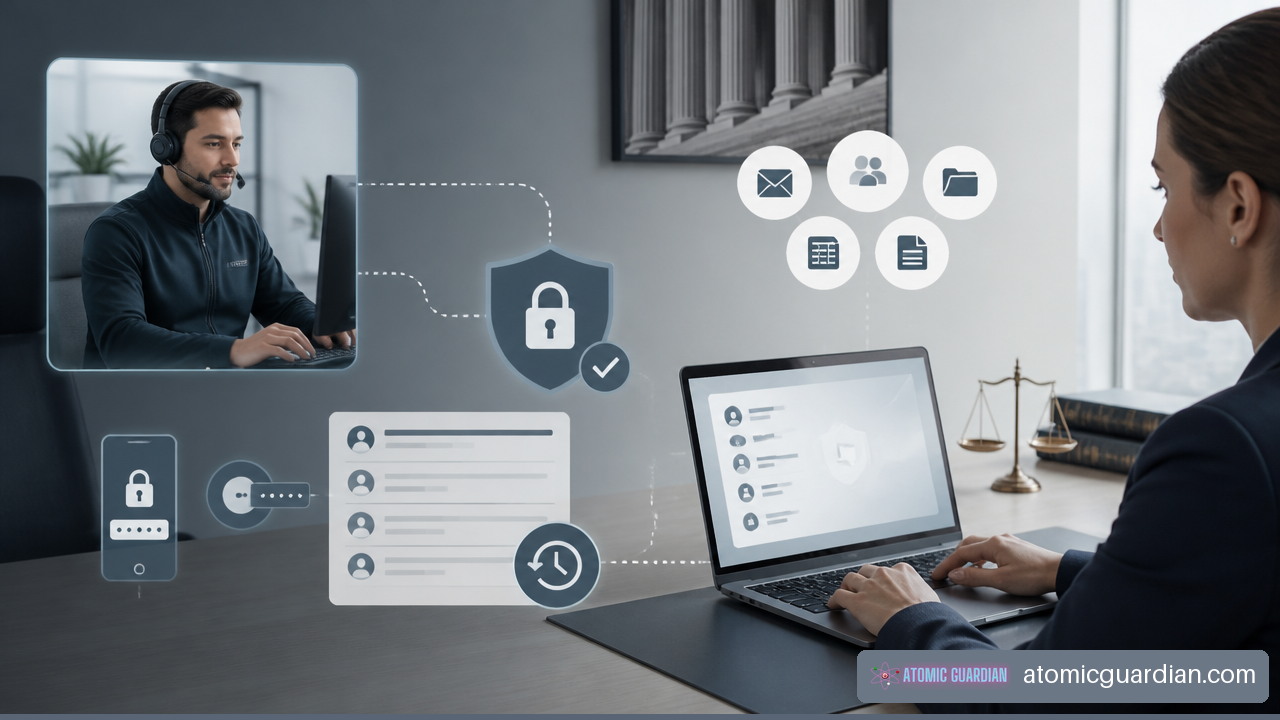
Prepare for the First Fifteen Minutes
The first fifteen minutes of an outage often determine whether disruption stays contained. Staff should know what to report and what not to do.
Encourage users to provide:
• Their name, location, callback number, device, and affected system.
• The exact error message or a screenshot, when safe to share.
• When the issue started and whether other users are affected.
• The client or matter deadline at risk, without unnecessarily placing confidential details in an unsecured ticket.
• Any recent change, such as a password reset, new device, software update, office move, or internet disruption.
Users should avoid repeated password attempts, unapproved remote-access tools, personal email forwarding, or copying client documents to unmanaged devices as a workaround. Those actions can turn a routine support request into a security incident.
For smaller practices, managed IT services for small law firms in Toronto can provide the documentation, monitoring, and vendor coordination that a solo internal administrator may not have time to maintain.
Key Takeaways
Fast remote IT support for a Toronto legal office is most effective when speed, security, and escalation work together.
• Measure response, triage, workaround, and resolution separately. A quick reply alone does not protect billable work or deadlines.
• Prioritize incidents by legal and operational impact. A matter-access issue before a closing may need faster action than a routine workstation request.
• Use remote support first for identity, Microsoft 365, permissions, software, and endpoint issues, but keep an onsite path for hardware and network failures.
• Require MFA, least-privilege vendor access, approval workflows, and audit logging for remote sessions involving client information.
• Maintain a short, current support runbook with contacts, critical systems, vendor details, priority rules, and recovery steps.
• Test after-hours handling and escalation before a real outage puts a client deadline at risk.
Frequently Asked Questions
What Counts as Fast Remote IT Support for a Toronto Law Office?
Fast support means a qualified person can quickly assess the incident, begin secure troubleshooting, and provide either a fix or a workable alternative. You should evaluate time to human response, time to triage, time to workaround, and time to resolution. A provider should define these measures in its SLA rather than relying on general claims of fast service.
How Quickly Should a Legal IT Provider Respond to an Urgent Issue?
There is no single universal benchmark for every firm, but a critical issue should receive immediate attention under a documented escalation process. Your agreement should distinguish a critical outage from a standard request. Ask whether the stated target refers to acknowledgment, technician engagement, or completed resolution.
Which Law-Firm Problems Can Usually Be Fixed Remotely?
Password resets, MFA problems, Microsoft 365 access, email issues, permissions errors, document synchronization, software configuration, and many endpoint alerts can often be handled remotely. Resolution depends on whether the technician has approved access and whether the underlying platform is available.
Which Problems Usually Need an Onsite Visit?
Physical hardware failures, damaged equipment, cabling problems, failed network appliances, persistent office-wide Wi-Fi faults, and power issues may require onsite service. A remote technician can often identify the likely hardware problem first, which helps ensure the onsite visit is prepared and purposeful.
Does Remote Support Create Confidentiality Risks for Client Data?
It can if access is overly broad, unverified, or poorly documented. Reduce risk with approved support tools, MFA, least-privilege permissions, identity verification, session controls, and audit logs. The provider should access only what is needed to resolve the request.
What Should Happen First During an Email or Microsoft 365 Outage?
First confirm the scope: one user, one office, or the entire firm. Then verify whether the issue involves connectivity, identity, service availability, or suspicious account activity. For a possible compromise, contain access and preserve logs before making broad changes. For a service interruption, communicate a clear workaround and escalation status to affected staff.
How Should a Small Law Office Prepare for Faster Remote Troubleshooting?
Keep an updated user and device list, identify critical systems, document vendor contacts, assign approval authority, and define urgent legal workflows. A small firm does not need a large internal IT department, but it does need clear ownership. The person receiving the support call should know who can approve access changes and how to reach leadership after hours.
Sources and References
- Law Society of Ontario — client confidentiality and safeguarding client information
- https://lso.ca/lawyers/practice-supports-and-resources/topics/client-confidentiality-and-safeguarding-client-information
- NIST — Cybersecurity Framework
- https://www.nist.gov/cyberframework